
Current, a native video and motion editor for Windows

Current features

-
Editing
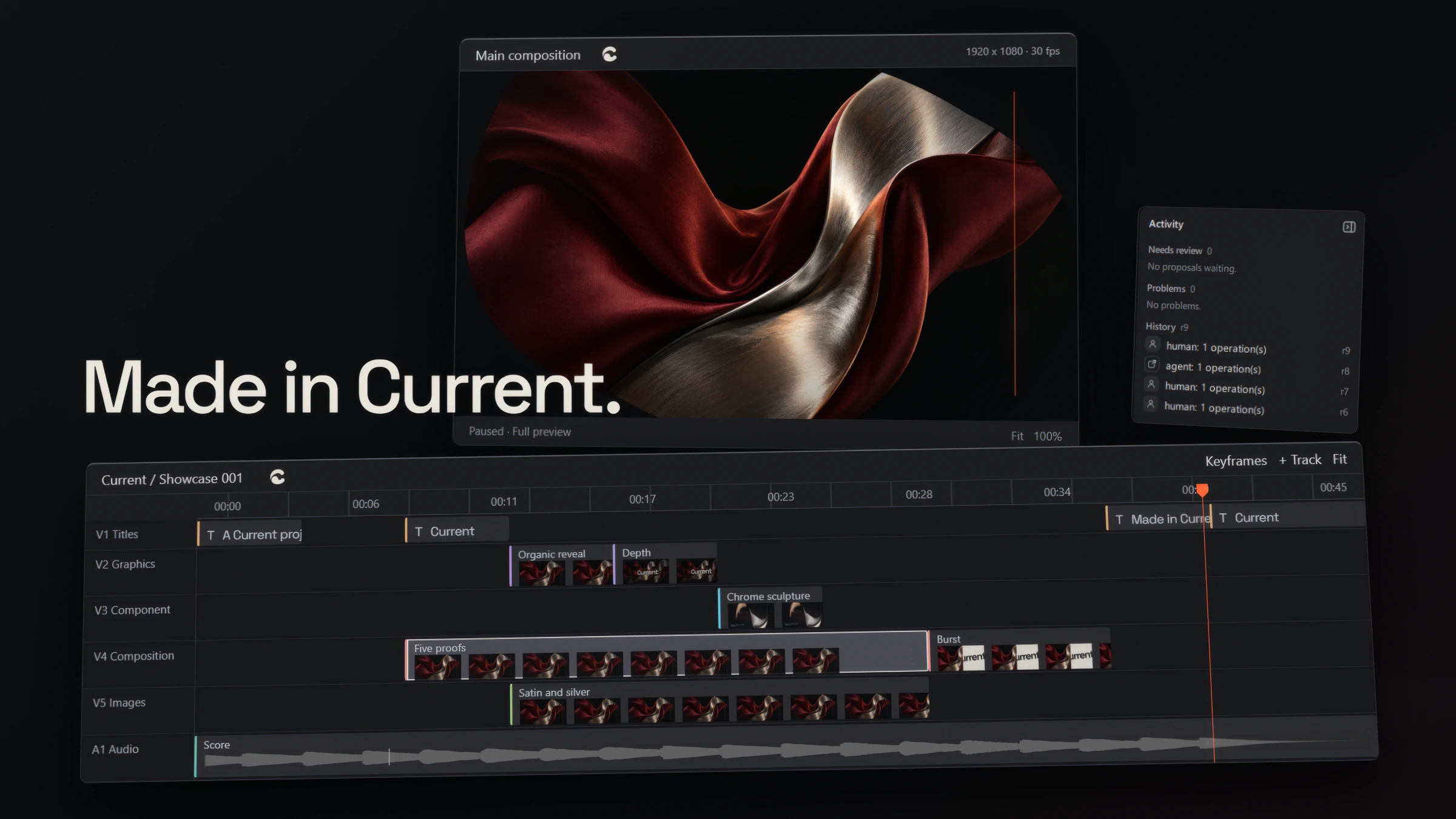
Cut long videos on a multi-track timeline, with titles, graphics and audio on tracks of their own.
-
Motion
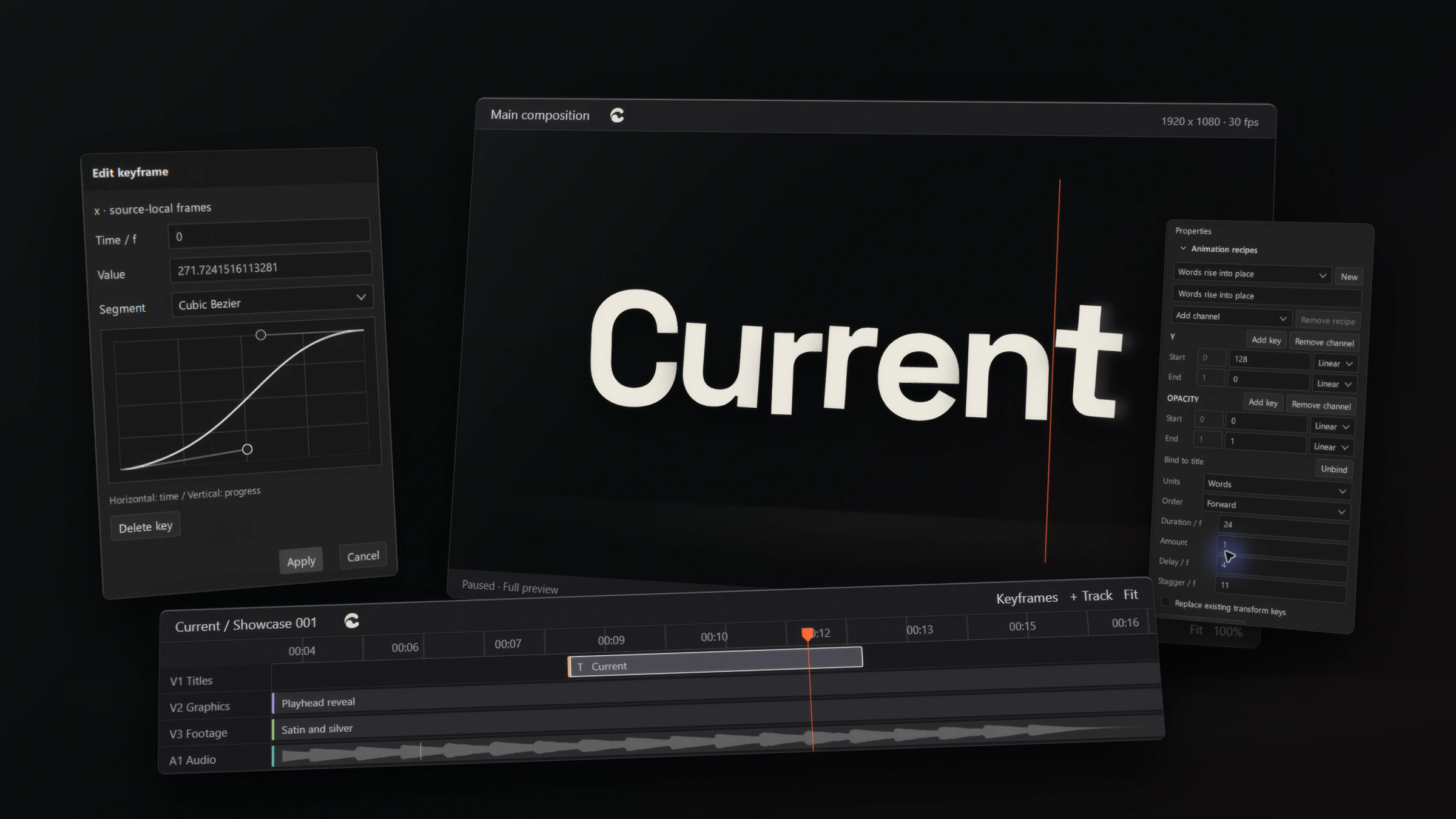
Animate with keyframes and shape the timing of every move on a curve.
-
Text
Set type and animate it word by word with recipes, then tune the duration, delay and stagger.

-
Effects
Add effects to clips and see the result in the GPU preview as you work.

-
Captions
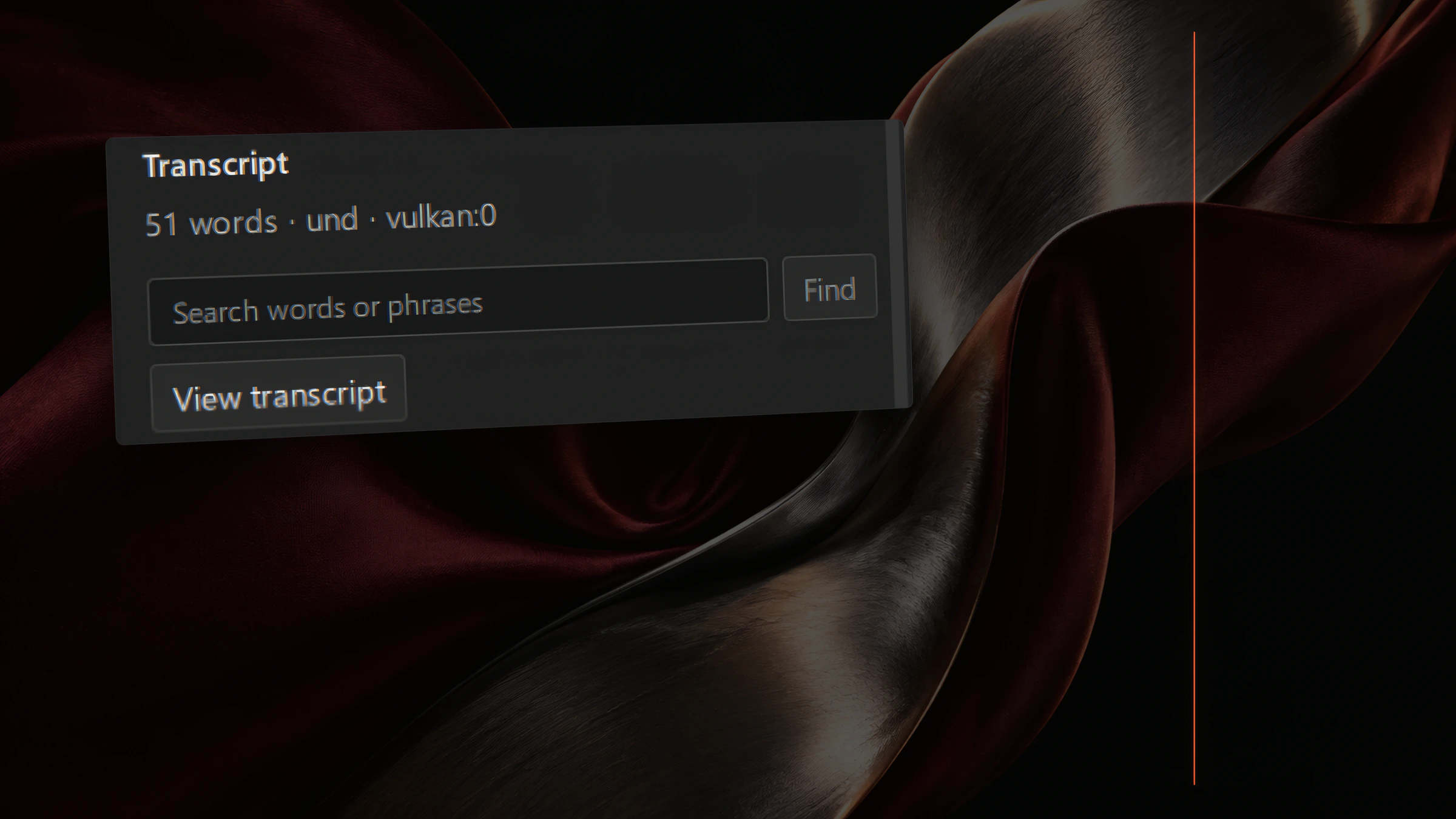
Transcribe speech on your own machine, search what was said, and turn it into animated captions.
-
Agents
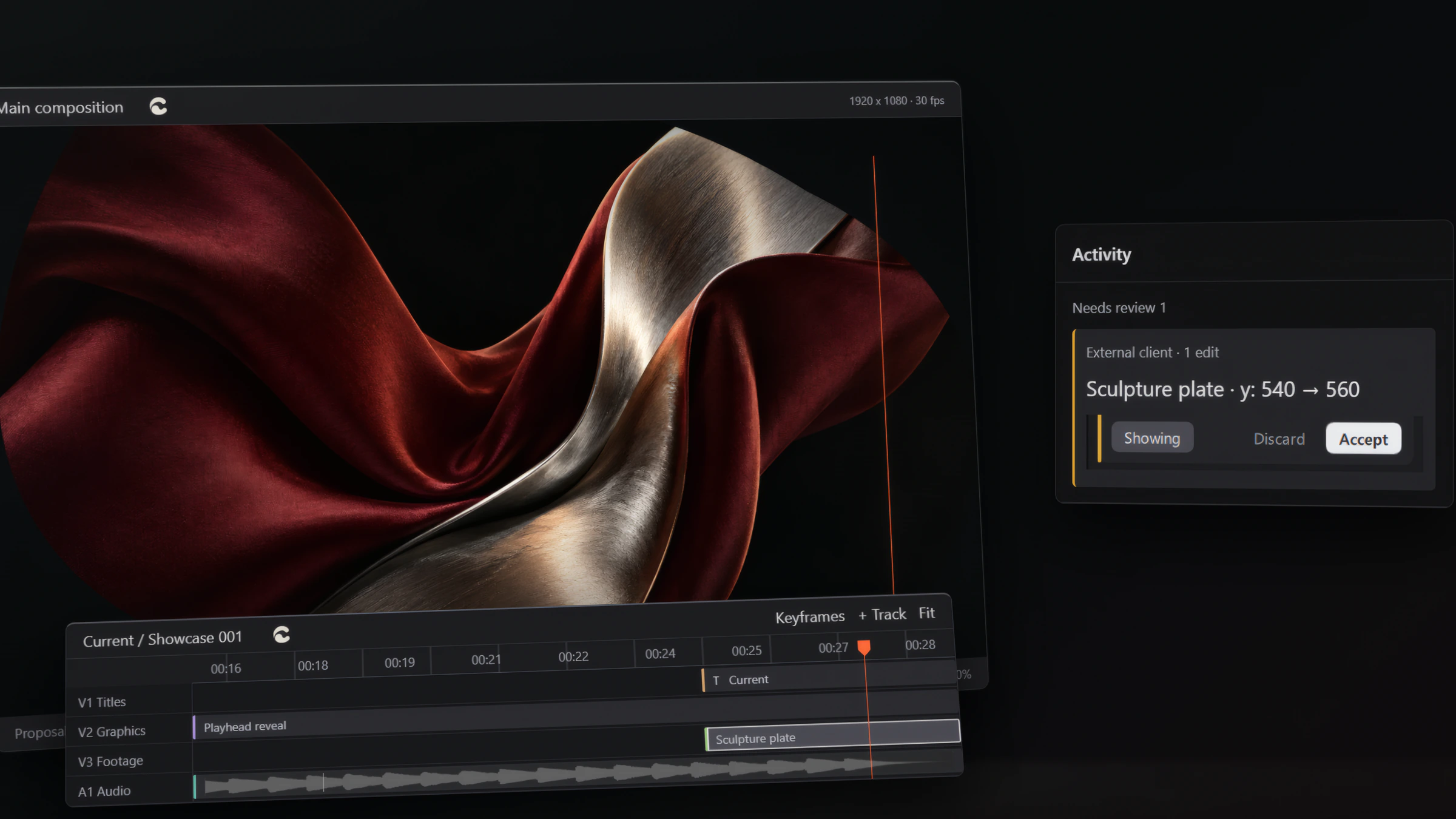
Connect an AI agent and it edits the same project as you, through the same checked operations.
-
Components
Build a piece once as a component, then place it on the timeline like any other clip.

-
Export
Render a finished file on your own machine, with no watermark and no export limit.



Agents
You and your agent, same project.
Leave a note on the frame, let your agent propose the change, and decide what stays.


- 01
Notes on the frame
Pin a review note to a frame or a range. Your agent proposes the change, and you review it: accept it or discard it.
- 02
Proposals, not overwrites
A proposal is made against the project as the agent last saw it. If you have edited since, it is refused and the agent has to look again.
- 03
History you can undo
Every change, yours or the agent’s, lands in history and can be undone.
Built native for Windows.
- Preview Fast GPU preview Playback runs on your graphics card.
- Offline Works offline Editing, rendering and export stay on your machine.
- Account No account No sign-in, nothing to register.
- GPL-3.0 Free and open source No watermark, no export limit, no paid tier.
Frequently asked questions
01 / 05
What is Current?
Current is a native video and motion editor for Windows. You cut long videos, build motion graphics and animate type in one project, and an AI agent can work on that same project alongside you.

02 / 05
Can I combine video and motion?
Yes. A timeline edit and a motion piece are the same project in Current. Cut a forty-minute interview, then build its titles, lower thirds and animated captions without exporting to another app and back.

03 / 05
Does it need the internet?
No. Current runs entirely on your computer, with no account and no sign-in. Editing, rendering, export and transcription happen on your machine. If you connect an agent, that agent may use the internet for its own service, but Current itself does not.

04 / 05
Is my agent safe to let loose?
Your agent edits through the same checked operations you do. It cannot quietly overwrite a change you made after it started: if the project has moved on, its edit is refused and it has to look again. Every agent change shows in history and can be undone like your own.

05 / 05
Is it free?
Yes. Current is free and open source under the GPL. No watermark, no export limit, no paid tier.

Select a question on the timeline.
Download
Make it in Current.
Windows may show a SmartScreen prompt the first time you open Current, because it is a new app.